ProductRecording and transcriptReportsAsk your meetingsMeeting statsTo-dosqatip MCPAn example reportiPhone and AndroidMac and WindowsSecurity
Use casesMeetingsBy roleEducationMedia and eventsAll use cases
PricingBlogSign inTürkçe

Stay in the conversation. qatip writes down who said what, what got decided and who's doing what.

300 free minutes a month, no credit card needed.

  • iPhone
  • Android
  • Mac
  • Windows
  • Chrome
  • Web
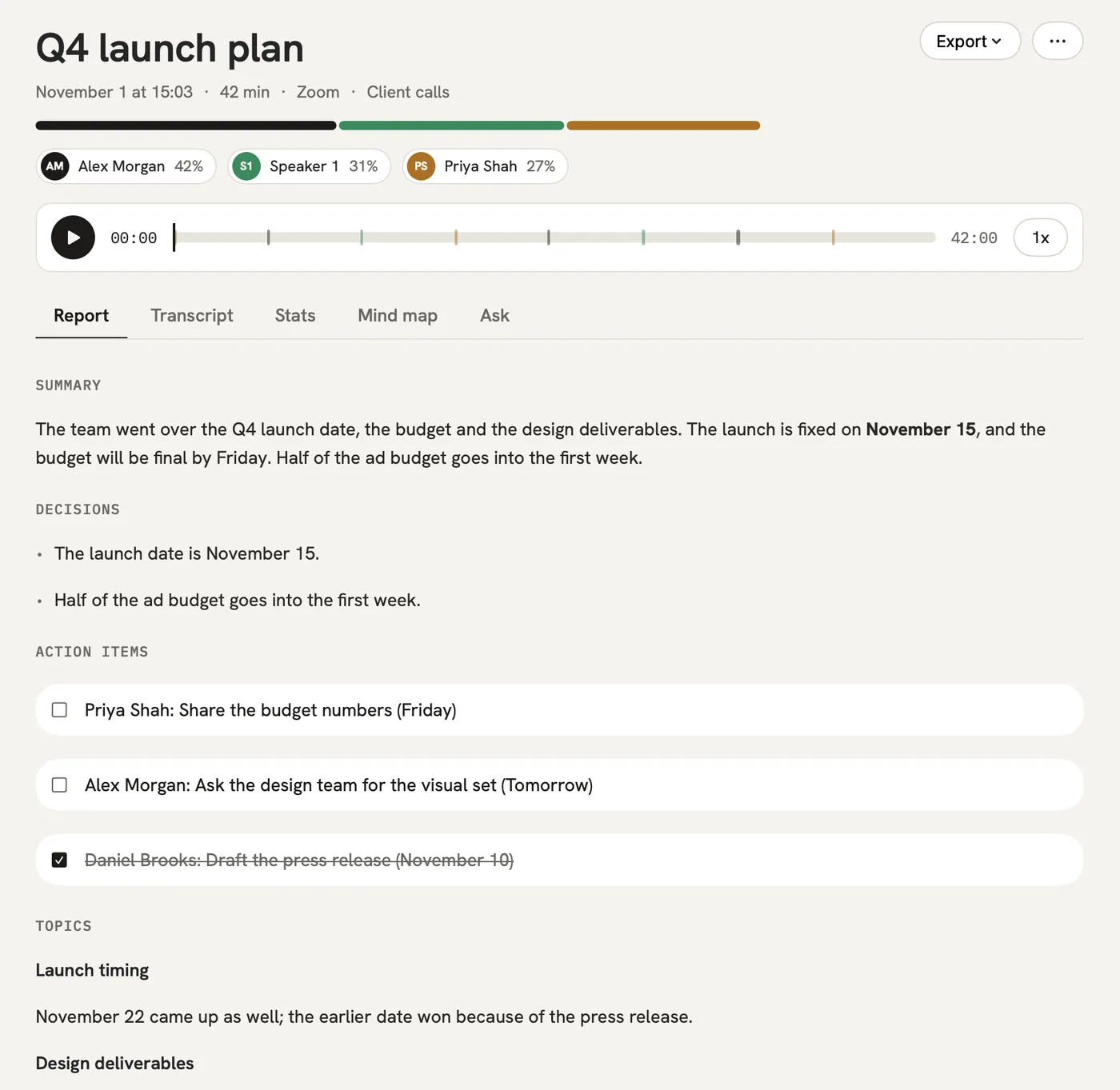
qatip on a Mac: a meeting's report with its speakers, summary, decisions and to-dos
  • Zoom
  • Google Meet
  • Microsoft Teams
  • Meeting room

Zoom, Meet, Teams or the meeting room. No bot ever joins your call.

Press record. qatip does the rest.

  1. 1

    Record

    In a meeting room, put your phone on the table and start recording. Record your Zoom call from your computer.

  2. 2

    Read

    A few minutes later the report is ready. Who said what, which decision was made, who took on which job: it's all there. If something comes to mind months later, ask your meetings.

  3. 3

    Share

    To-dos land in one list with their owners and dates. Send the report to everyone who was there, or pass it on to Notion, Slack or the AI assistant you use.

The meeting ends, and a few minutes later you're reading the report.

What was said, what was decided and the to-dos are written up without you pulling them together.

Launch date

In person · 42 min · 3 people

Summary

The team discussed the launch date. Payment testing needs two more weeks, so the launch moves from November 1 to November 15. Putting half the ad budget into the first week makes up for the delay.

Decisions

  • Launch on November 15.
  • Half the ad budget goes to launch week.

Open question

What is the fallback date if testing runs long again?

To-dos

  • Daniel Park: Share the payment test plan · by Friday noon
  • Maya Patel: Update the press release for the new date
  • Sarah Collins: Tell the sales team the new date

Who talked how much

  • Daniel Park38%
  • Sarah Collins36%
  • Maya Patel26%

Who said what? Go back and read it.

Conversations are saved with who said each line, so when you're trying to remember a sentence you don't have to replay the recording.

  • Accurate transcripts a few minutes after the meeting
  • The speaker's name next to every line
  • Close to 100 languages, picked up on their own
  • A live transcript while people talk, on Pro
Who said what? Go back and read it.

Don't write the meeting report.

Keep the hour you used to spend pulling your notes together after every meeting.

  • Summary and highlights
  • To-dos with owners and dates
  • Your own template for each kind of meeting
  • Shared slides and photos inside the report
Don't write the meeting report.

Find what was said months ago.

Search for who said what, in which meeting and when.

  • Search every meeting by what was said
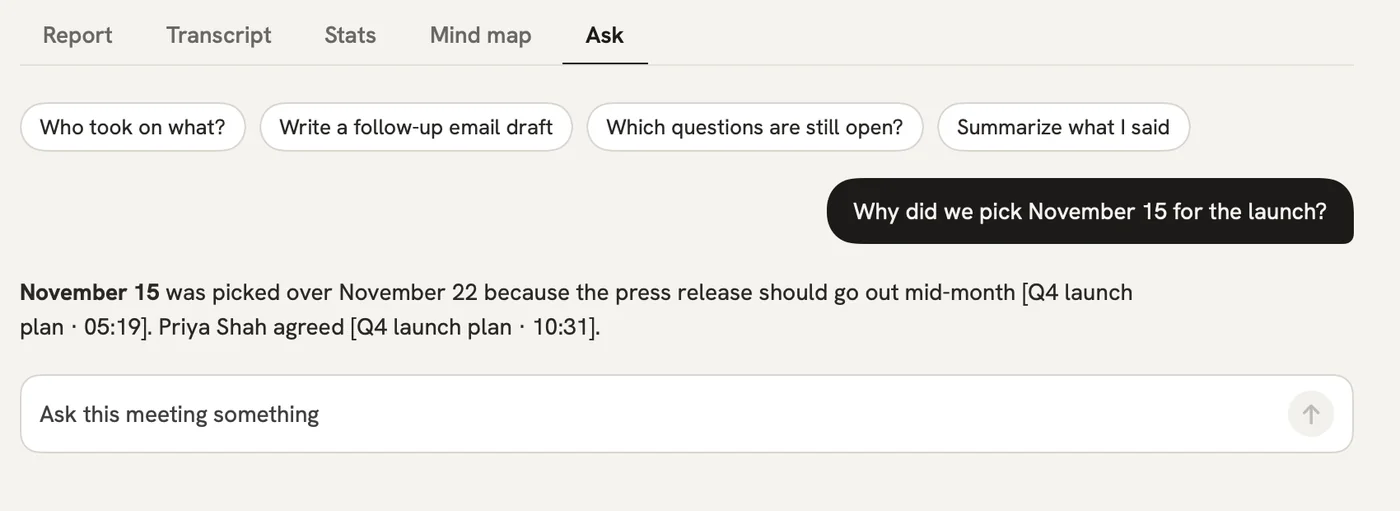
  • Ask in plain words and get a straight answer
  • Every answer points to the meeting it came from
Find what was said months ago.

Who got a word in?

See at a glance who talked the longest and who barely joined in.

  • Talk time for everyone
  • The meeting's mood and each speaker's tone
  • Questions asked and turns taken
Who got a word in?

Keep to-dos from scattering.

Work handed out in different meetings ends up in one list.

  • Owners and dates from every meeting
  • Add them to Reminders on your iPhone
  • Send them on to Linear or Notion
Keep to-dos from scattering.

Ask your AI tools about your meetings.

Connect qatip MCP once, then ask your assistant what was said in your meetings.

AI assistant
What did we promise Acme in last week's calls?
qatip MCP · searched 6 meetings

Two things: the onboarding plan by Friday, which you sent on Tuesday, and a quote for 40 seats, which is still open.

Client onboarding call · MonAcme pricing call · Thu

Wherever the meeting is, you can record it.

  • iPhone and Android

    Your phone sits on the table and keeps recording with the screen locked.

  • Mac and Windows

    Records any call on your computer, whatever app it's in, without a bot.

  • Chrome extension

    Records Meet, Zoom and Teams right in the browser.

  • Web

    Read, search and share your meetings from any browser.

All use cases

What people say after a week.

Sample reviews from before launch. Our first users' own words will replace them.

“I stopped looking down at my notebook in meetings. By the time I'm back at my desk, I know who's doing what.”
Elif AydınProduct manager
“I don't replay calls anymore to find what a client asked for last month. I ask, and the answer shows which call it came from.”
Daniel ReyesSales lead
“My professor said in one lecture what would be on the exam. I found which lecture in two seconds.”
Zeynep KayaLaw student
“Everyone on the team reads the same notes now, so the ‘that's not what I heard’ arguments are over.”
Marcus LeeFounder
“I ask Claude what I promised people this week, and it answers from my qatip meetings.”
Priya NairConsultant
“Writing up an interview used to eat half an hour. Now the report is ready before I let the next candidate in.”
Sofia RossiRecruiter

With you before the meeting and after it.

  • Titles and attendees come from your calendar
  • Before you meet the same people again, a short brief of last time
  • One email a week with what was decided and what's still open
  • Reports go to Slack, Notion or Google Docs on their own
  • The report in whatever language your team works in

All use cases

Your meetings stay yours.

  • Stored in Frankfurt and seen only by you and the people you share with.
  • Audio is kept as long as you choose, or not at all.
  • Nothing you record is used to train AI models.
  • Delete your account and everything in it whenever you like.
How we protect your data →

Before you start

Will the others know they're being recorded?

They should, and telling them is up to whoever records. There's no bot in the call to announce it, so qatip reminds you before you start, and the Chrome extension can post a note in the meeting chat for you.

My video call app already takes notes.

Those notes stay inside that app, and only cover calls held there. qatip keeps the meeting in the room and last month's call in one place, and you can ask across all of them.

Does it work well in Turkish?

Yes. We test qatip most on Turkish and English meetings. It picks up the spoken language by itself and writes the report in whichever of eight languages you choose.

Is it safe for company meetings?

Data is stored in the EU, you decide how long audio stays, and nothing is used to train models. Teams sign in with their company account, and we sign a data processing agreement on request.

What if my free minutes run out?

Nothing is lost. The recording waits, and its report is written when you upgrade or when the new month starts.

In your next meeting, just talk.

Start on the free plan, or try Pro free for 7 days. Cancel anytime.

Start free