ProductRecording and transcriptReportsAsk your meetingsMeeting statsTo-dosqatip MCPAn example reportiPhone and AndroidMac and WindowsSecurity
Use casesMeetingsBy roleEducationMedia and eventsAll use cases
PricingBlogSign inTürkçe

Back-to-back meetings, nothing missed.

If half your day is meetings, half your job ends up being notes. Let qatip write them while you talk.

300 free minutes a month, no credit card needed.

qatip is an AI note taker for professionals with back-to-back meetings: it records Zoom, Google Meet and Teams calls on your Mac or Windows computer and in-person meetings on your phone, with no bot joining. A few minutes later you have who said what, the decisions and your to-dos, and you can ask across all your meetings.

Updated November 2026

Sound familiar?

It's 5:30. You've been in six meetings today and your notebook is full of half sentences. Then someone messages "what did we say about that?", and you start opening your calendar, your chats and your notes one by one.

  • While you write, you miss half of what's being said
  • You can't remember which meeting a decision was made in
  • Your to-dos live in three different places, and one always slips

Where it hurts, and what qatip does about it.

The problem

“When I take notes I lose the conversation, and when I listen I can't take notes.”

In qatip Recording and transcript

Put your phone on the table or join the call from your computer and press record. Every sentence is written down with who said it.

After: You keep your eyes on the person talking, and no word gets lost.

Recording and transcript

The problem

“The meeting's over, and writing it up will eat half an hour.”

In qatip Report

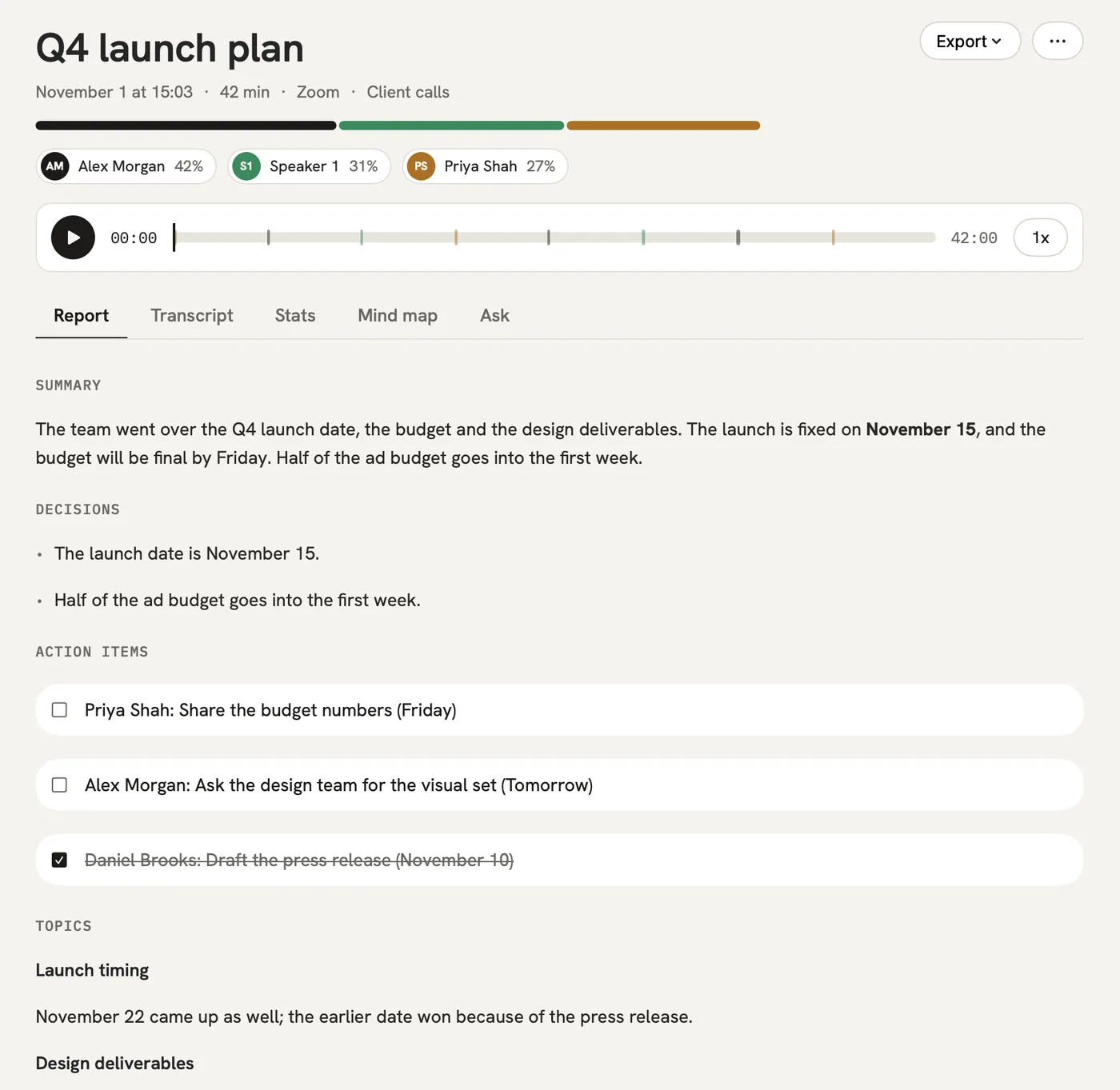
A few minutes after the meeting the summary, the decisions and the open questions are ready, in order.

After: You move on to the next thing instead of writing up the last one.

Report

The problem

“What did we decide about the budget last week, and in which meeting?”

In qatip Ask

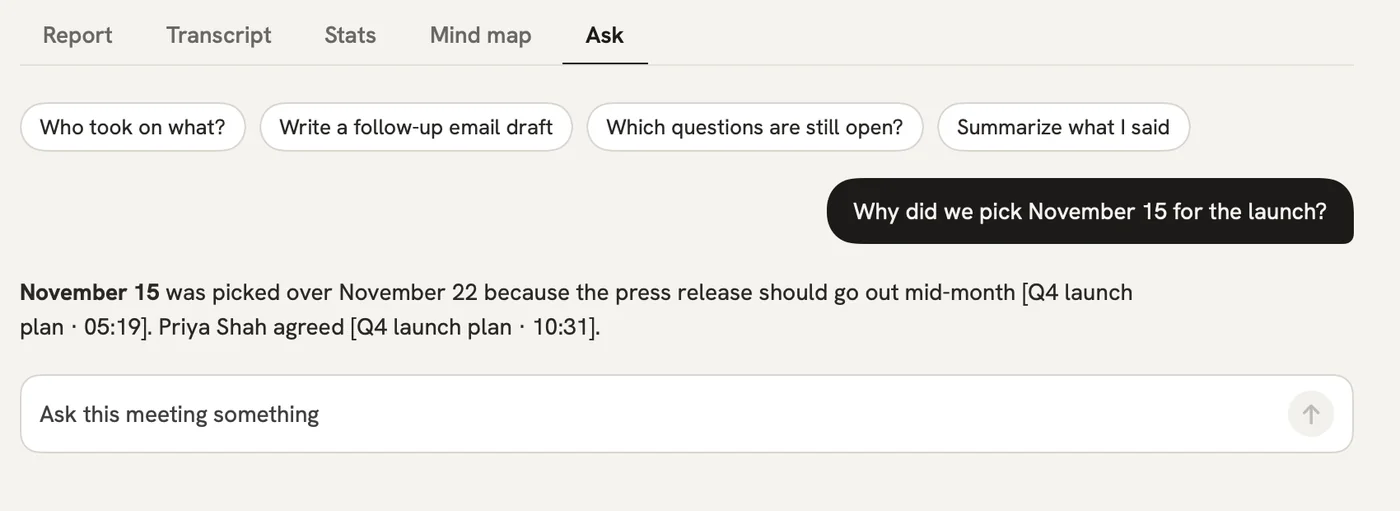
Type the question in plain words. qatip looks through all your meetings and shows the meeting and the moment the answer came from.

After: You find it without replaying a recording or asking anyone.

Ask

The problem

“My to-dos are scattered, and I've lost track of what I promised to whom.”

In qatip To-dos

Everything you take on in any meeting lands in one list with an owner and a date, and you can add it to Reminders on your iPhone.

After: No promise slips through the cracks.

To-dos

A report could come with these sections

  1. 01Summary
  2. 02Decisions
  3. 03To-dos
  4. 04Open questions

Every section comes from a template, and you can change it to fit your meetings.

You might be wondering

Most of my meetings are on Zoom, some are in person. Does it handle both?

Yes. Record calls from your computer and meetings in the room with your phone; they all end up in the same account and the same list.

Will a bot join my meetings?

No. qatip records the sound on your own device, so nobody joins the call.

Who can see my meetings?

Only you and the people you share them with. Data is stored in Frankfurt, in the EU, and is never used to train AI models.

In your next meeting, just talk.

Start on the free plan, or try Pro free for 7 days. Cancel anytime.

Start free