ProductRecording and transcriptReportsAsk your meetingsMeeting statsTo-dosqatip MCPAn example reportiPhone and AndroidMac and WindowsSecurity
Use casesMeetingsBy roleEducationMedia and eventsAll use cases
PricingBlogSign inTürkçe

Record your Zoom calls without a bot.

qatip records Zoom from your own computer's sound, so the participant list stays exactly as it was. The transcript and report are ready a few minutes after the call.

300 free minutes a month, no credit card needed.

qatip is an AI note taker for Zoom meetings: the Mac or Windows app records the call from your computer's own sound, and the Chrome extension records Zoom in the browser. No bot joins. A few minutes after the call you get a transcript with each speaker's name and a report with the summary, decisions and to-dos.

Updated November 2026

Sound familiar?

The Zoom call starts in two minutes and you're still looking for your notes app. Halfway through, someone shares a slide full of numbers and moves on before you can copy them down. When the call ends, everyone leaves assuming someone else took notes.

  • You type notes and stop hearing the call
  • Shared slides vanish before you've read them
  • Everyone leaves the call remembering something different

Where it hurts, and what qatip does about it.

The problem

“I don't want an extra bot sitting in my participant list.”

In qatip Recording and transcript

Keep qatip open on your Mac or Windows computer. It notices when the Zoom call starts and offers to record, taking the sound from your computer.

After: The others see the same faces as always, and you have the whole call.

The problem

“With six people on the call, I can't remember later who said what.”

In qatip Transcript

Every line is written with the speaker's name. On a Mac, qatip reads who's talking from the Zoom window and names them in the report.

After: You can quote a colleague exactly instead of guessing.

Transcript

The problem

“The slide with the numbers was gone before I could read it.”

In qatip Report

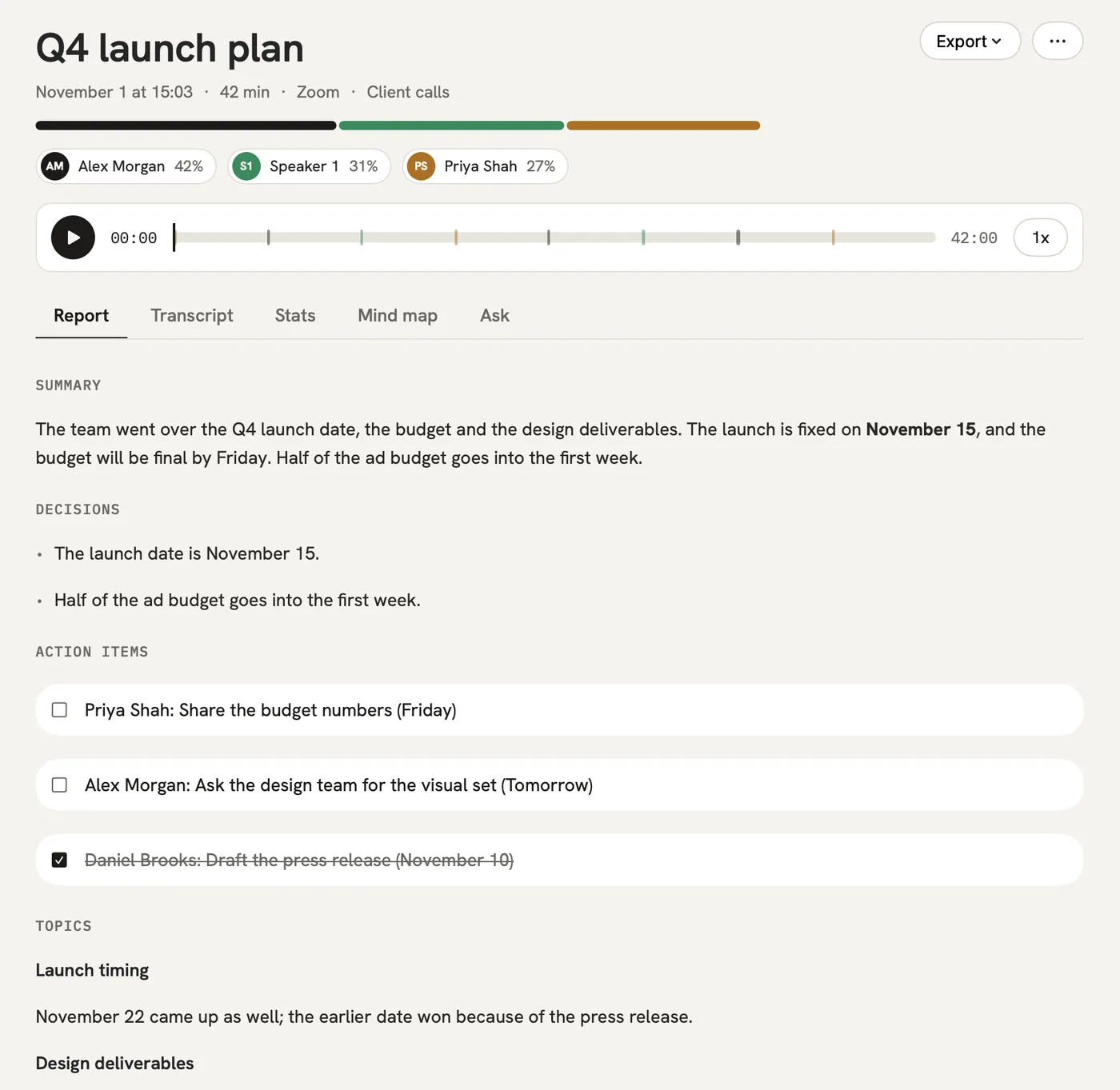
On a Mac, slides shared on screen can be captured into the report, right next to the summary, decisions and to-dos.

After: The numbers and what people said about them stay together.

Report

The problem

“Sending a recap after every call is a small job I never get to.”

In qatip Share

Email the report to everyone who was on the call in one click, or send a link they can open without an account.

After: One click after the call, the recap is in everyone's inbox.

A report could come with these sections

  1. 01Summary
  2. 02Decisions
  3. 03To-dos
  4. 04Slides shared

Every section comes from a template, and you can change it to fit your meetings.

You might be wondering

Do I need to be the host to record a Zoom meeting with qatip?

qatip doesn't use Zoom's own record button. It records the sound on your computer, so it doesn't depend on the host's recording settings. Telling everyone you're recording is still up to you, and qatip reminds you each time.

Can I record Zoom on Windows or in my browser?

Yes. The Mac and Windows apps record the Zoom app, and if you join Zoom in Chrome, the qatip extension records the call there.

How long a Zoom call can I record?

The free plan gives you 300 minutes a month, and the first 30 minutes of each meeting are written up. Pro records up to 4 hours in one go, and Team up to 8.

In your next meeting, just talk.

Start on the free plan, or try Pro free for 7 days. Cancel anytime.

Start free