ProductRecording and transcriptReportsAsk your meetingsMeeting statsTo-dosqatip MCPAn example reportiPhone and AndroidMac and WindowsSecurity
Use casesMeetingsBy roleEducationMedia and eventsAll use cases
PricingBlogSign inTürkçe

A meeting recorder with no bot in the call.

qatip takes the sound from your own computer or phone. Nothing joins the call or sits in the lobby waiting to be let in.

300 free minutes a month, no credit card needed.

qatip is an AI note taker that records meetings without a bot: on Mac and Windows it records any call (Zoom, Google Meet, Microsoft Teams or any other app) from the computer's own sound, and on iPhone or Android it records the meeting in the room. Nobody joins the call. A transcript and report follow a few minutes later.

Updated November 2026

Sound familiar?

The call starts and a new name appears in the participant list: someone's notetaker. The client goes quiet for a second, then asks who that is. You spend the first two minutes explaining a tool instead of talking about their project.

  • People ask about the notetaker before the agenda
  • The bot waits in the lobby and nobody lets it in
  • A relaxed call suddenly feels like it's being watched

Where it hurts, and what qatip does about it.

The problem

“When a bot joins, people talk to me differently.”

In qatip Recording and transcript

qatip records from the device you're already using: the computer's sound on Mac and Windows, the room on your phone. There's no extra participant to explain.

After: The conversation sounds the way it would with no recorder at all.

The problem

“If there's no bot in the call, how does it know who's talking?”

In qatip Transcript

Each line comes with the speaker's name. Attendees come from your calendar, and on a Mac qatip reads who's speaking from the Zoom, Meet or Teams window.

After: You get who said what without letting anyone into the call.

Transcript

The problem

“I'll forget to press record. I know I will.”

In qatip Calendar

On your computer, qatip notices when a call starts and offers to record. On your phone, it reminds you a minute before a meeting on your calendar.

After: Recording starts with the meeting, not ten minutes into it.

The problem

“Recording is fine, but I still need the summary out today.”

In qatip Report

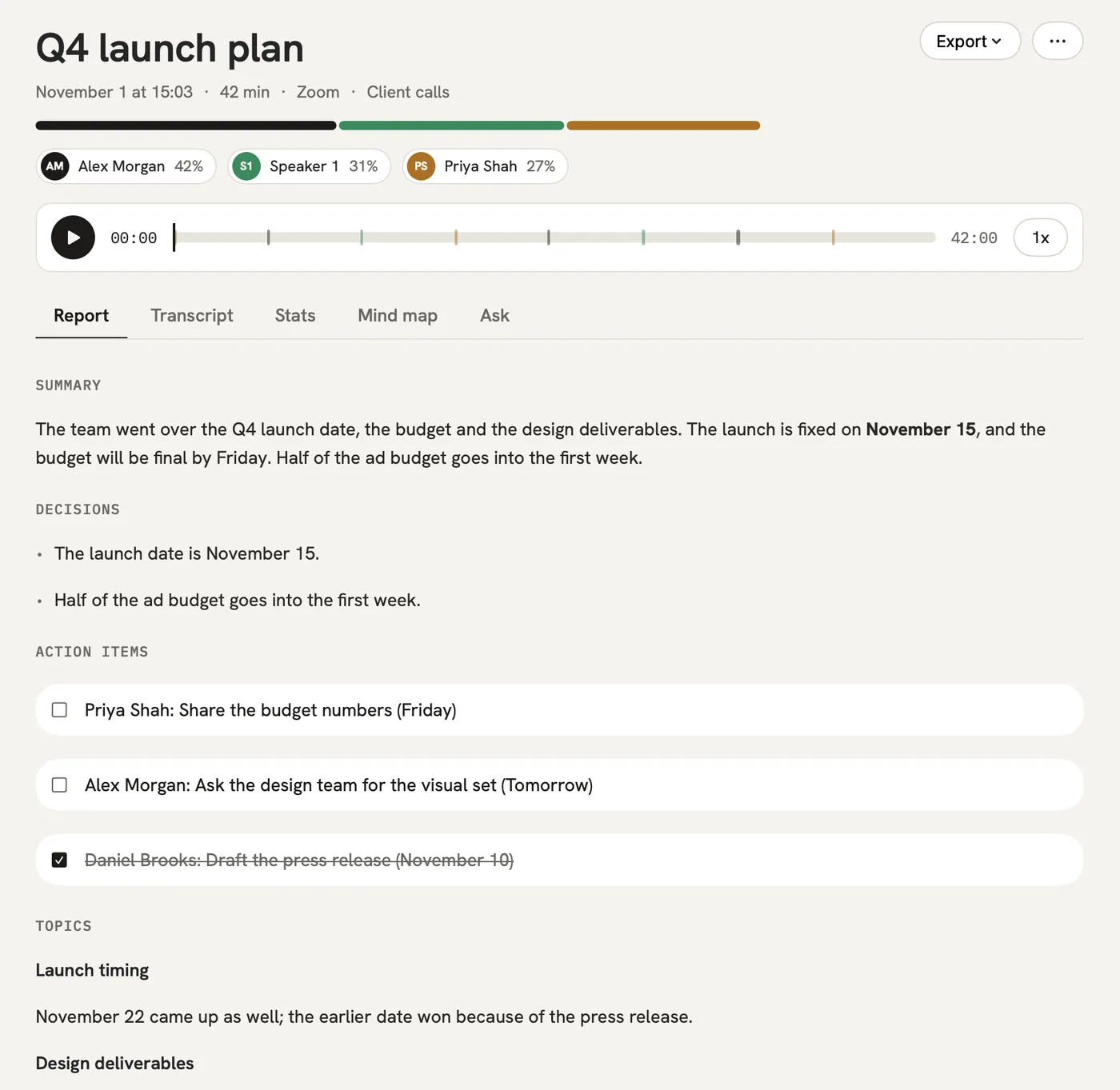
A few minutes after you stop, the summary, decisions, to-dos with owners and open questions are ready.

After: You send the recap the same afternoon.

Report

A report could come with these sections

  1. 01Summary
  2. 02Decisions
  3. 03To-dos with owners
  4. 04Open questions

Every section comes from a template, and you can change it to fit your meetings.

You might be wondering

If there's no bot, do I still have to tell people I'm recording?

Yes. Telling people is up to whoever records, and qatip reminds you before every recording. In Google Meet, the Chrome extension can also post a note in the chat.

Which apps does it work with?

On Mac and Windows it records any call on your computer: Zoom, Google Meet, Microsoft Teams or anything else. The Chrome extension covers Meet, Zoom and Teams in the browser.

What about meetings with no call at all?

Put your phone on the table. qatip on iPhone or Android records the room and keeps going with the screen locked.

In your next meeting, just talk.

Start on the free plan, or try Pro free for 7 days. Cancel anytime.

Start free