ProductRecording and transcriptReportsAsk your meetingsMeeting statsTo-dosqatip MCPAn example reportiPhone and AndroidMac and WindowsSecurity
Use casesMeetingsBy roleEducationMedia and eventsAll use cases
PricingBlogSign inTürkçe

From client meeting to proposal, with nothing lost.

Half of consulting is understanding what the client actually told you. qatip writes every meeting down, so you can spend your head on the problem.

300 free minutes a month, no credit card needed.

qatip is an AI note taker for consultants: it records client meetings on your computer or phone without a bot, writes down who said what and has the summary, decisions and to-dos ready a few minutes later. Months into a project you can ask what the client said, and with qatip MCP, Claude or ChatGPT answers from your meetings.

Updated November 2026

Sound familiar?

Three months into the project, the client says they asked for something else in the first meeting. You don't remember it that way, but all you have from that day is a three-line note.

  • You don't fully remember what the client said in the first meeting
  • Your notes fall short when you write the proposal or the deck
  • Sending the client a meeting recap takes days

Where it hurts, and what qatip does about it.

The problem

“When I write the proposal I'm guessing at what the client actually wanted.”

In qatip Transcript and search

Every meeting is written down with who said what. Search for a word and the client's sentence comes up exactly as they said it.

After: The proposal rests on the client's own words.

Transcript and search

The problem

“Months into the project, I've lost track of what we discussed when.”

In qatip Ask

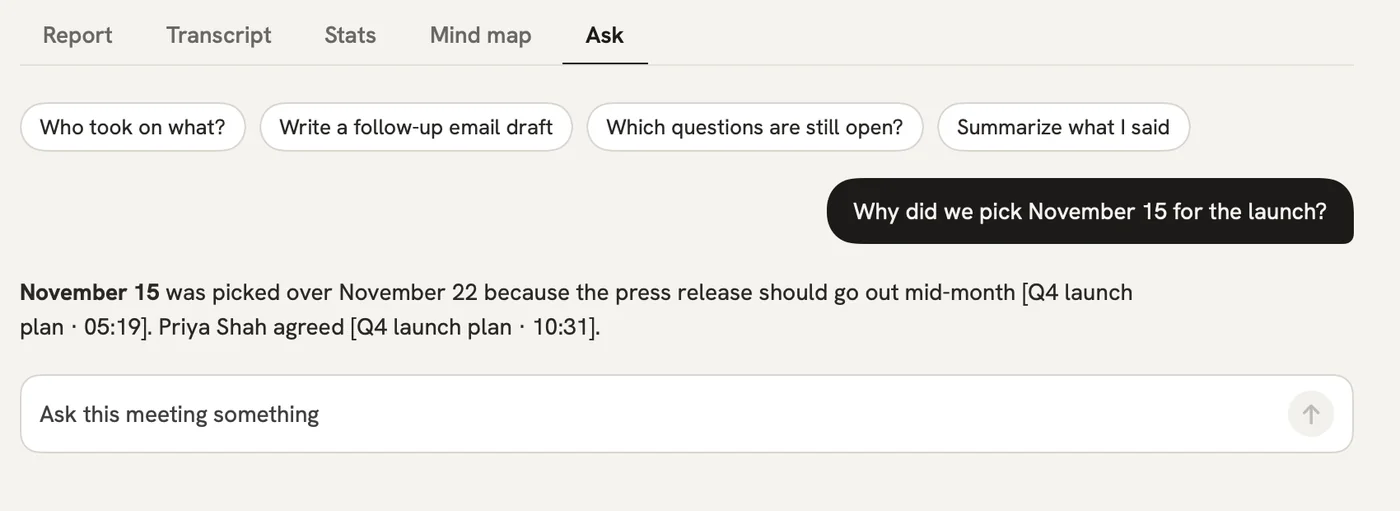
Ask whether you covered something in the first meeting, and the answer comes with the meeting.

After: The project's memory stays with you.

Ask

The problem

“I rewrite the deck from my meeting notes every time.”

In qatip qatip MCP

Connect qatip MCP to Claude or ChatGPT once. Your assistant answers from your meetings and drafts from them.

After: You never start the deck from a blank page.

AI assistant
What did we promise Acme in last week's calls?
qatip MCP · searched 6 meetings

Two things: the onboarding plan by Friday, which you sent on Tuesday, and a quote for 40 seats, which is still open.

Client onboarding call · MonAcme pricing call · Thu

The problem

“Getting the recap to the client takes two days.”

In qatip Report and sharing

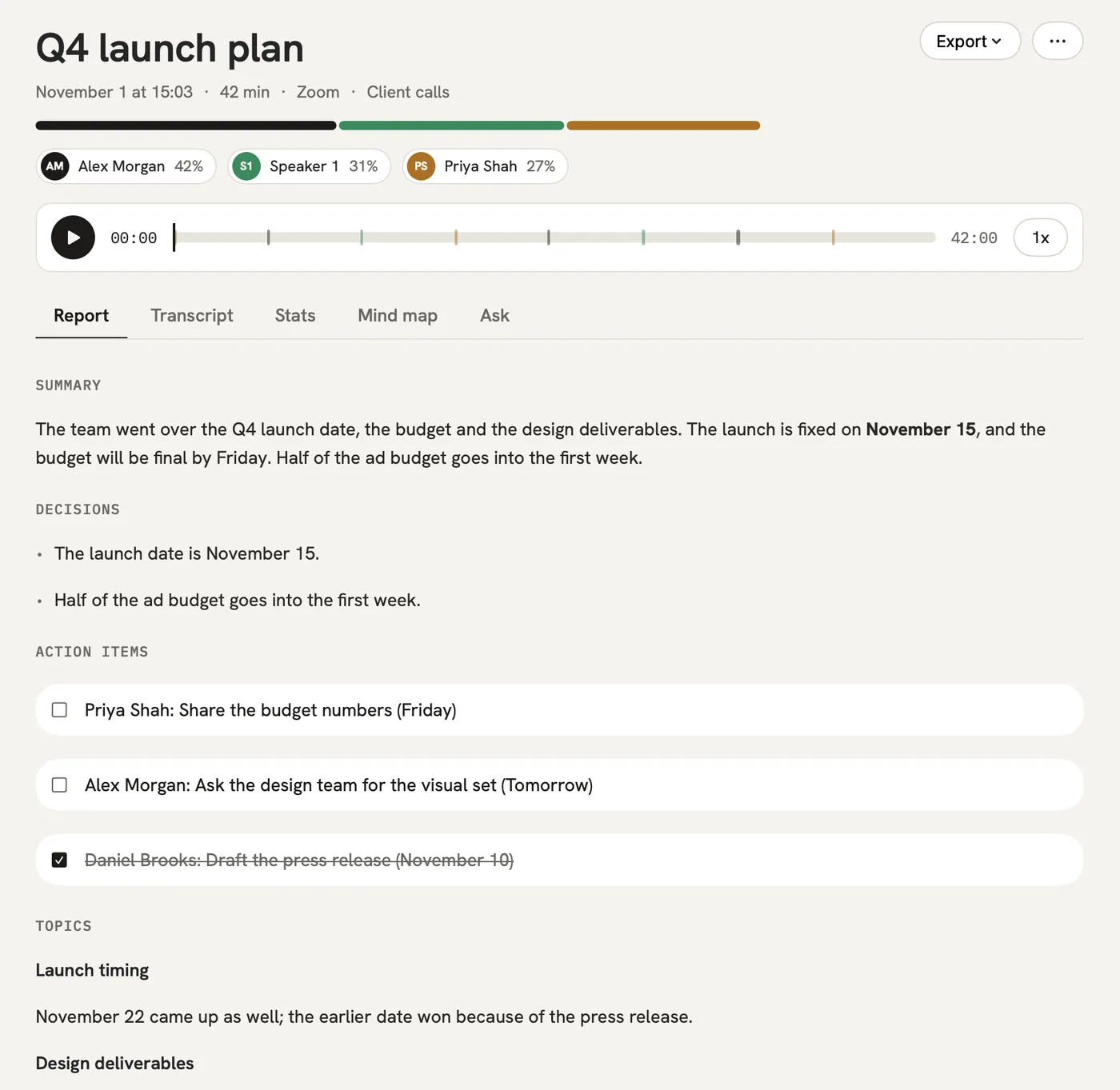
A few minutes after the meeting the summary and the to-dos are ready, and you send them to the client the same day.

After: The client hears from you while the meeting is still fresh.

Report and sharing

A report could come with these sections

  1. 01Client goals
  2. 02Where things stand
  3. 03Decisions
  4. 04To-dos

Every section comes from a template, and you can change it to fit your meetings.

You might be wondering

Is it safe for confidential client meetings?

Data is stored in Frankfurt, only you and the people you share with see it, and nothing is used to train models. We also sign a data processing agreement on request.

What if my meetings are in different languages?

qatip picks up the spoken language by itself and writes the report in the language you choose.

Can I send the client a PDF?

On Mac you can export the report and the transcript as a PDF. From any device you can also share a link, and the client doesn't need an account to open it.

In your next meeting, just talk.

Start on the free plan, or try Pro free for 7 days. Cancel anytime.

Start free