ProductRecording and transcriptReportsAsk your meetingsMeeting statsTo-dosqatip MCPAn example reportiPhone and AndroidMac and WindowsSecurity
Use casesMeetingsBy roleEducationMedia and eventsAll use cases
PricingBlogSign inTürkçe

Stop typing through online classes. Just listen.

The class might be on Zoom, Meet, Teams or some other app. qatip takes the sound from your computer and hands you what was taught when class is over.

300 free minutes a month, no credit card needed.

qatip is an AI note taker for online classes and webinars: it records the class on a Mac or Windows computer from its own sound, or in Chrome with the extension, and no bot joins. On a Mac, slides shared on screen can go into the report. After class you have a transcript and summary you can question before exams.

Updated November 2026

Sound familiar?

The instructor flies through the slides while you type notes in one window and miss the presentation in the other. Your camera's off, so nobody notices, but when class ends you have half a page of notes and most of the slides are gone.

  • You miss the next slide while typing notes
  • The instructor forgets to share the class recording
  • Exam week means replaying ninety-minute recordings

Where it hurts, and what qatip does about it.

The problem

“I don't want to bring a bot into class just to record it.”

In qatip Recording and transcript

qatip records the class from your Mac or Windows computer's sound, and the Chrome extension records Meet, Zoom and Teams classes in the browser. Nobody gets added to the class.

After: The class goes on as usual and you keep all of it.

The problem

“The slides go by so fast I can't finish reading a single one.”

In qatip Report

On a Mac, slides shared on screen can be captured into the report, alongside what was said while each one was up.

After: You read your class notes with the slides right there.

The problem

“The instructor talks fast, and once I miss a term I lose the rest.”

In qatip Live transcript

With Pro, what's said turns into text while the class is still going, so you can glance back at the sentence you missed.

After: Missing one word doesn't mean losing the thread.

Live transcript

The problem

“At some point the instructor said “this will be on the exam.” Which week was that?”

In qatip Ask

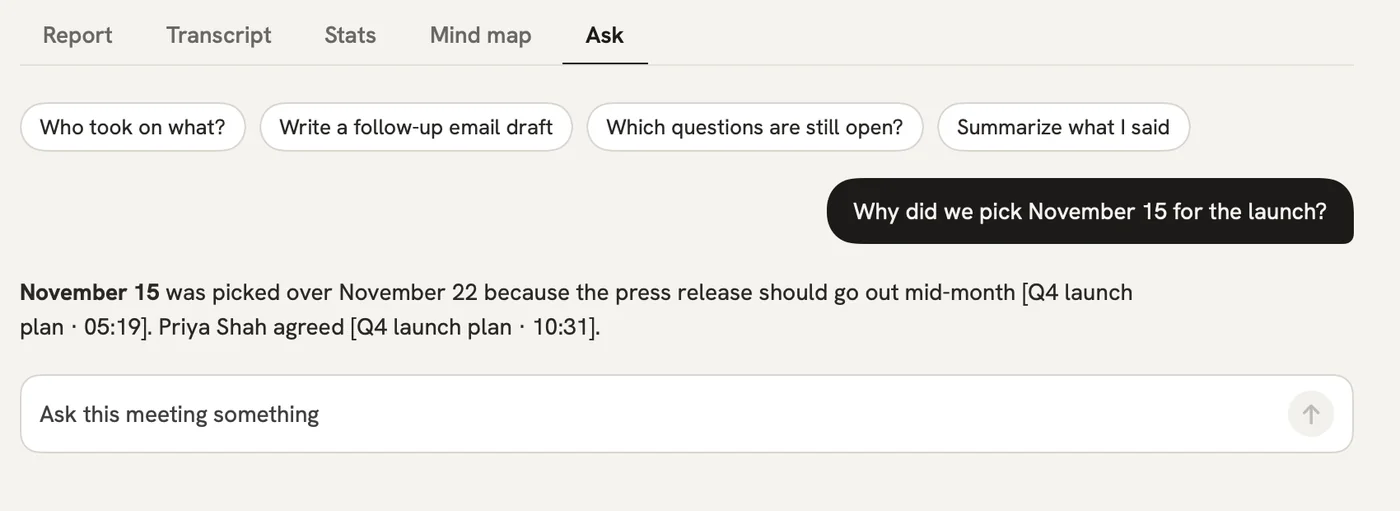
Ask across all your classes in plain words. The answer shows the class and the moment it came from.

After: Exam week doesn't mean going back through ninety-minute recordings.

Ask

A report could come with these sections

  1. 01Topic of the class
  2. 02Concepts covered
  3. 03Slides
  4. 04Assignments and dates

Every section comes from a template, and you can change it to fit your meetings.

You might be wondering

Do I need the instructor's permission to record a class?

Telling the instructor and the class is up to whoever records. qatip reminds you before every recording.

Will a ninety-minute class be written up in full?

On the free plan, the first 30 minutes of each class are written up. Pro records up to 4 hours in one go and gives you 1,500 minutes a month.

The webinar runs on a different app. Can I still record it?

Yes. The Mac and Windows apps record any call app on your computer from the computer's own sound.

In your next meeting, just talk.

Start on the free plan, or try Pro free for 7 days. Cancel anytime.

Start free