ProductRecording and transcriptReportsAsk your meetingsMeeting statsTo-dosqatip MCPAn example reportiPhone and AndroidMac and WindowsSecurity
Use casesMeetingsBy roleEducationMedia and eventsAll use cases
PricingBlogSign inTürkçe

Run the interview without a note taker.

qatip records user interviews in the lab or on a call, so you don't need a second person in the room typing.

300 free minutes a month, no credit card needed.

qatip is an AI note taker for user interviews: it records in-person sessions on iPhone or Android and remote sessions on Zoom, Google Meet or Teams from Mac, Windows or Chrome, without a bot. You get a transcript with speakers and a report built from your own research template, and you can ask across every interview to find quotes.

Updated November 2026

Sound familiar?

It's the fifth participant this week. The colleague who usually takes notes is off, so you're asking questions and typing at the same time. Halfway through, the participant says something surprising about how they export their data, and you catch half of it.

  • You need a second person just to take notes
  • Synthesis starts with listening to recordings again
  • You suspect you talk more than the participant

Where it hurts, and what qatip does about it.

The problem

“I can't moderate and take notes at the same time.”

In qatip Recording and transcript

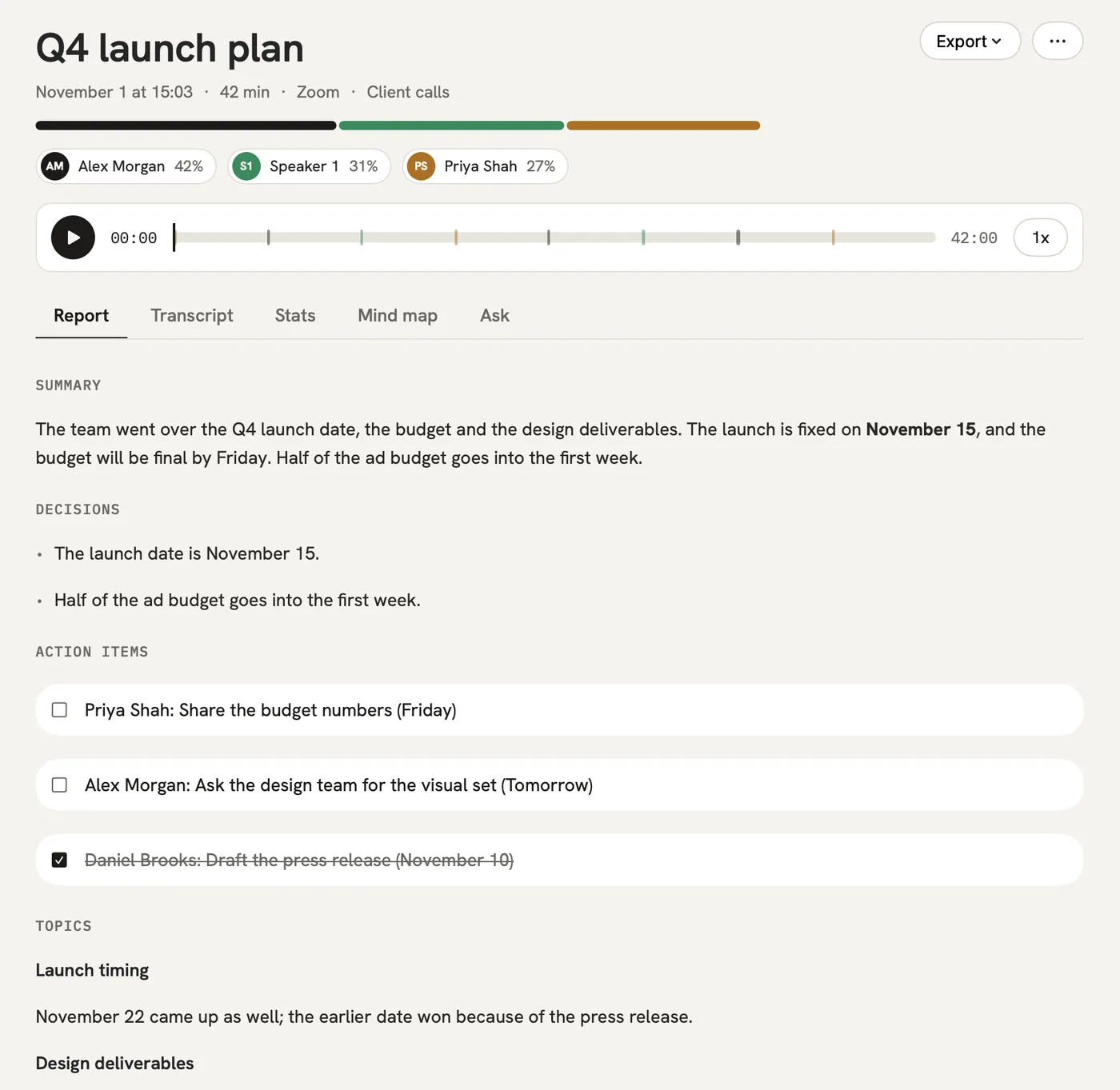
Record in-person sessions with your phone and remote ones from your computer or the Chrome extension. The participant's words are written down line by line under their name.

After: You can run sessions on your own and still have every word afterwards.

Recording and transcript

The problem

“Everyone on the team writes up sessions their own way.”

In qatip Templates

Create a research template with sections like goals, pain points, quotes and observations, and every interview's report follows it.

After: You sit down to synthesis with reports that line up.

Templates

The problem

“Which participants talked about exporting to spreadsheets?”

In qatip Ask

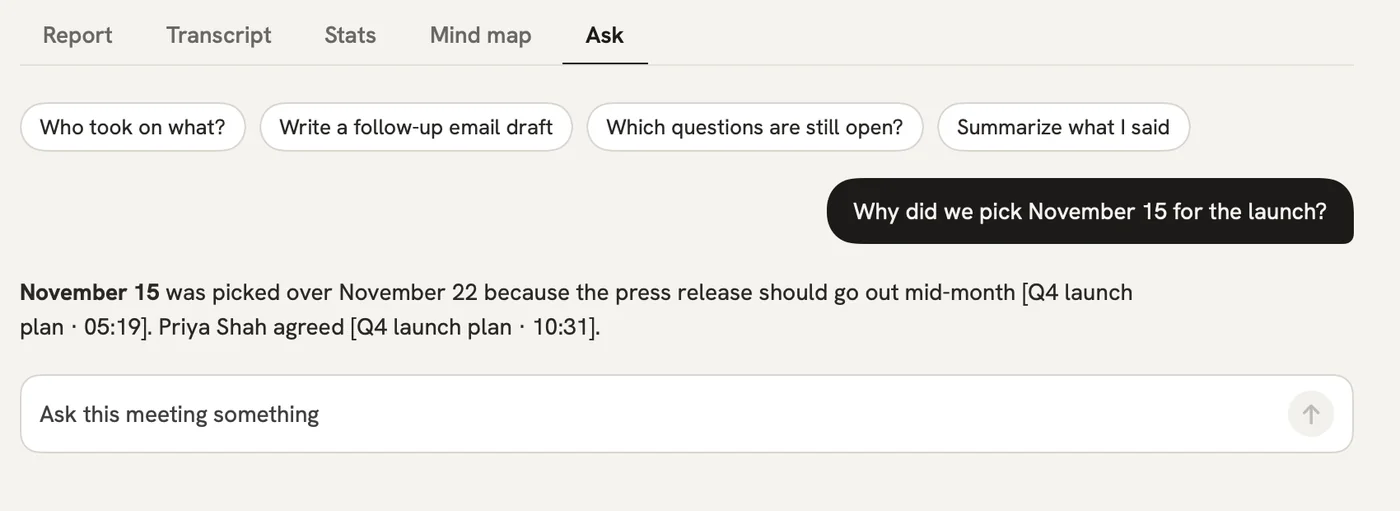
Ask across all your interviews in plain words. Each answer links to the interview and the moment it was said, so you can lift the exact quote.

After: The quotes in your readout come with their source attached.

Ask

The problem

“I worry I'm leading participants by talking too much.”

In qatip Stats

Stats show talk time for you and for the participant, and how many questions were asked.

After: You notice when a session turned into you talking, and fix it in the next one.

Stats

A report could come with these sections

  1. 01Goals
  2. 02Pain points
  3. 03Quotes
  4. 04Observations

Every section comes from a template, and you can change it to fit your meetings.

You might be wondering

Can I add interviews I've already recorded?

Yes. Import an audio file on your phone or Mac and you get the same transcript and report. qatip doesn't transcribe video files.

My participants are in different countries. Is that a problem?

No. qatip detects close to 100 languages by itself, and you choose which of 8 languages the report is written in.

How should I handle participant consent?

Get consent before the session as you normally would; qatip also reminds you before every recording. You can keep audio for 7, 30 or 90 days or a year, or not keep it at all.

In your next meeting, just talk.

Start on the free plan, or try Pro free for 7 days. Cancel anytime.

Start free