ProductRecording and transcriptReportsAsk your meetingsMeeting statsTo-dosqatip MCPAn example reportiPhone and AndroidMac and WindowsSecurity
Use casesMeetingsBy roleEducationMedia and eventsAll use cases
PricingBlogSign inTürkçe

Give the client your full attention.

qatip writes down your client meetings line by line, keeps the data in Frankfurt and leaves it to you how long any audio is kept.

300 free minutes a month, no credit card needed.

qatip is an AI note taker for lawyers: it records client meetings in your office on your phone, and video calls on Mac or Windows, with no bot. You get a transcript with speakers and a report from your own template. Data stays in the EU, is never used to train AI, and you can choose to keep no audio.

Updated November 2026

Sound familiar?

A new client is walking you through three years of a business partnership gone wrong. Dates, amounts, who emailed whom and when. You're writing as fast as you can, and you can see they've noticed you stopped looking at them.

  • Dates in your notes have question marks beside them
  • You ask the client to repeat things next meeting
  • The file note takes longer than the meeting did

Where it hurts, and what qatip does about it.

The problem

“When the client gets to the important part, I'm still writing down the previous date.”

In qatip Recording and transcript

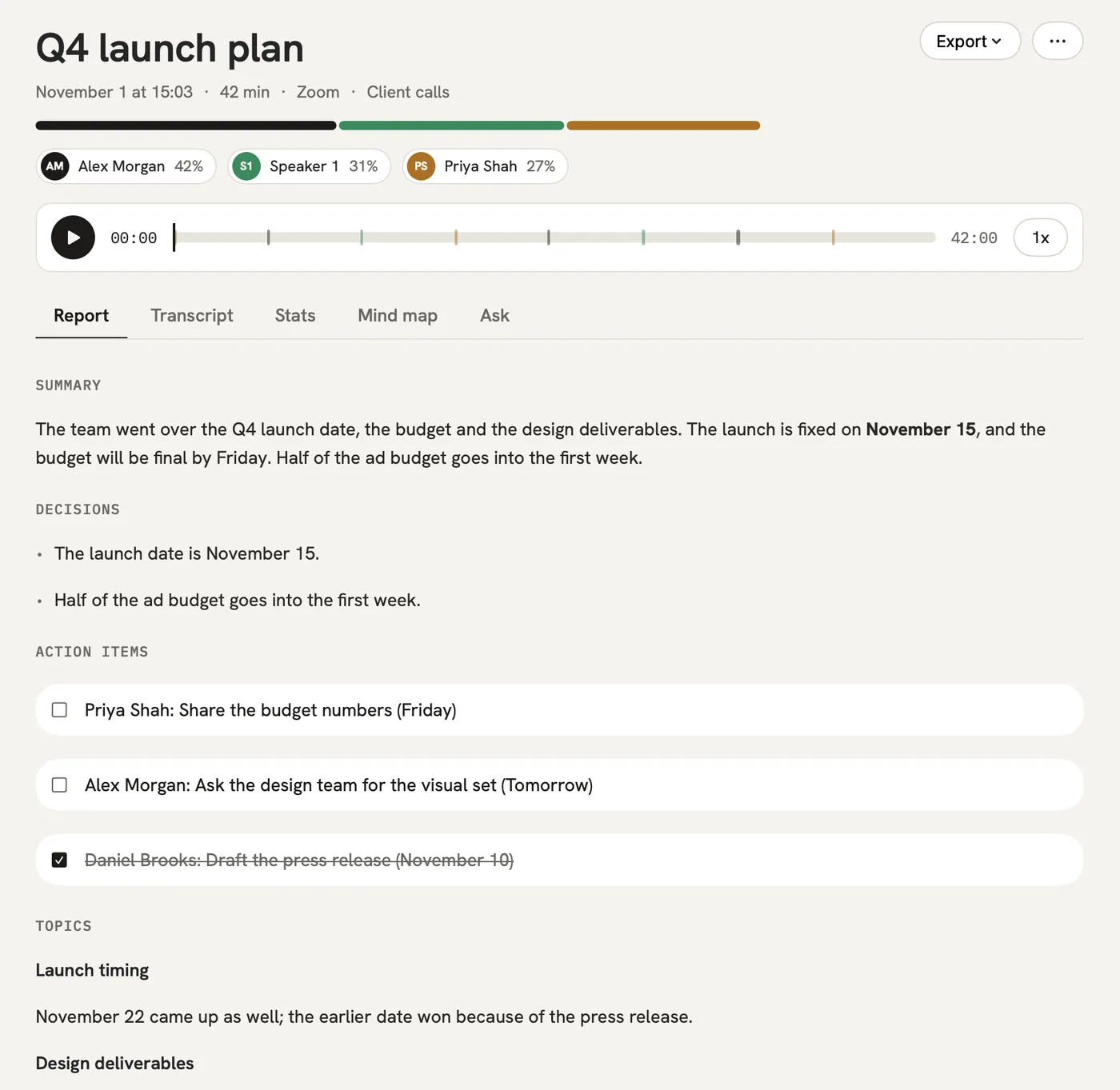
Put your phone on the desk and press record. Tap the flag when something matters, and every sentence is written down with who said it.

After: The dates and names are on the page, and you never had to look down.

Recording and transcript

The problem

“Turning a meeting into a proper file note eats my evening.”

In qatip Templates

Build a template for client meetings: the client's account, documents mentioned, questions to follow up, next steps. Every meeting's report comes out in those sections.

After: The file note is ready a few minutes after the client leaves.

Templates

The problem

“In which meeting did the client first mention the second contract?”

In qatip Ask

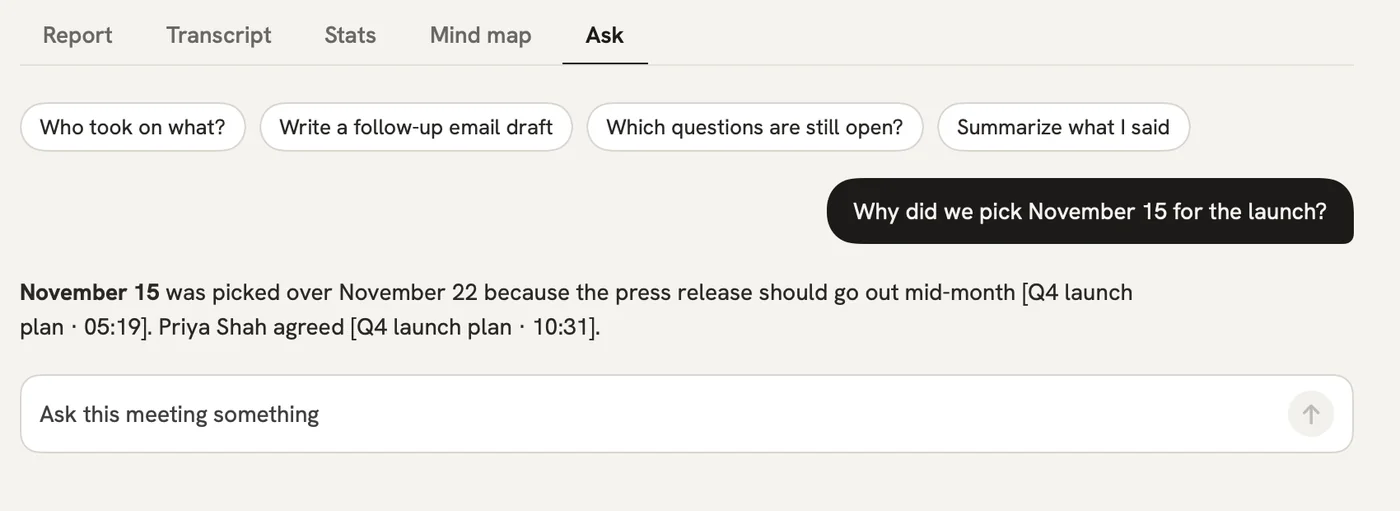
Ask across all your meetings in plain words. The answer shows the meeting and the moment, so you can read the client's exact sentence.

After: Before you rely on something, you can check what the client actually said.

Ask

The problem

“A colleague on the matter needs my meeting notes, and I don't want to retype them.”

In qatip Share

On Mac, export the report and the full transcript as a PDF, or send your colleague a link they can read without an account.

After: Everyone on the matter works from the same text.

A report could come with these sections

  1. 01Client's account
  2. 02Documents mentioned
  3. 03Questions to follow up
  4. 04Next steps

Every section comes from a template, and you can change it to fit your meetings.

You might be wondering

Who can see my client meetings?

Only you and the people you share them with. Data is stored in Frankfurt and never used to train AI models, and on Enterprise we sign a data processing agreement on request.

Do I have to tell the client I'm recording?

Telling people is up to whoever records, and qatip reminds you before every recording. Check the professional rules that apply to you as well.

Can I get rid of a client's audio?

You choose how long audio is kept: 7, 30 or 90 days, a year, or not at all. You can also delete your account and everything in it whenever you like.

In your next meeting, just talk.

Start on the free plan, or try Pro free for 7 days. Cancel anytime.

Start free