ProductRecording and transcriptReportsAsk your meetingsMeeting statsTo-dosqatip MCPAn example reportiPhone and AndroidMac and WindowsSecurity
Use casesMeetingsBy roleEducationMedia and eventsAll use cases
PricingBlogSign inTürkçe

Every “I'll send it over” on one list.

qatip writes up client meetings for accountants and bookkeepers, and notes each document the client promised to bring, with a date.

300 free minutes a month, no credit card needed.

qatip is an AI note taker for accountants: it records client meetings on your phone and Zoom, Google Meet or Teams calls on your computer, with no bot. A few minutes later a report lists what the client will send and by when, ready to email them in one click. It runs on Mac, Windows, iPhone, Android and the web.

Updated November 2026

Sound familiar?

It's filing week. A month ago, at the end of your meeting, the client said you'd have the lease and two invoices “by next week”. None of it has arrived, and you can't quite remember which two invoices you were talking about.

  • Each client's missing-documents list lives somewhere different
  • Clients say “I told you that” and you can't check
  • Two days before a deadline you're emailing everyone again

Where it hurts, and what qatip does about it.

The problem

“The client lists five documents and I only manage to write down two.”

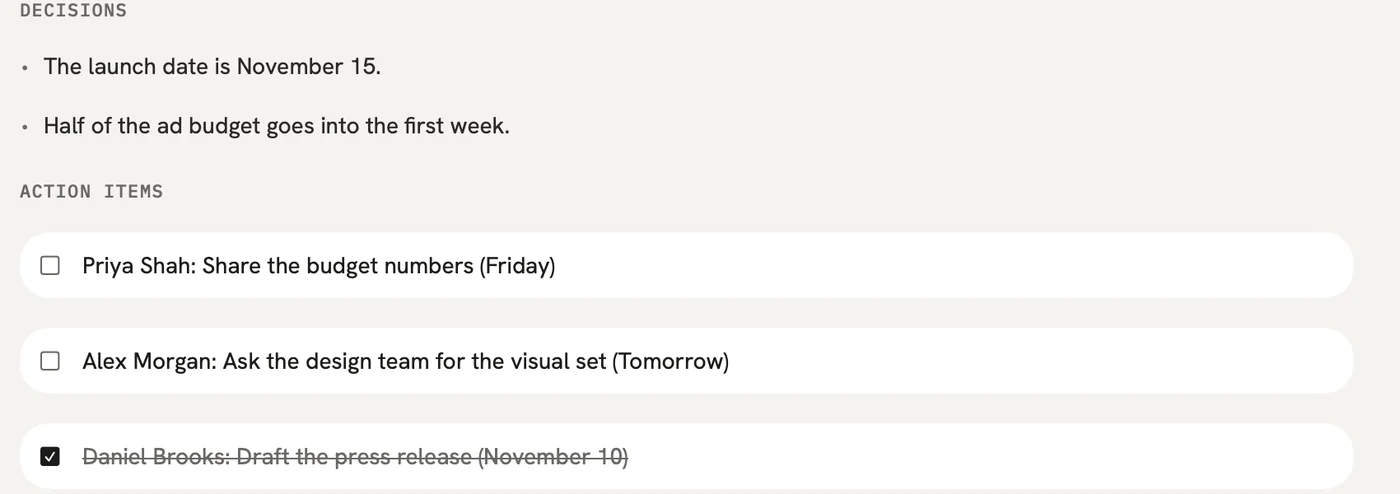
In qatip To-dos

qatip writes down what came out of the meeting with who's doing it and by when. The documents the client is bringing and the work you're preparing sit on the same list.

After: You can see at a glance which document you're waiting on from which client.
To-dos

The problem

“After the meeting I end up typing the missing-documents list into an email.”

In qatip Share

Email the report to everyone who was in the meeting in one click. If you share a link instead, the client can open it without an account.

After: A few minutes after the meeting, the client reads what they promised in their own words.

The problem

“Did the client mention selling the house, and in which meeting?”

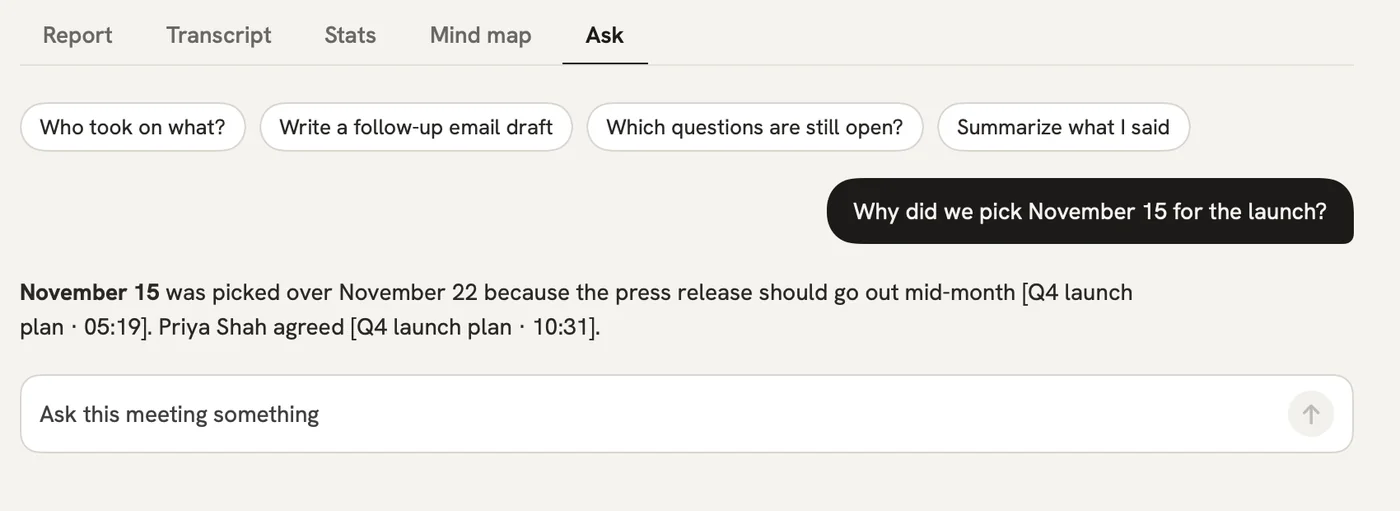
In qatip Ask

Type the question and qatip looks through all your client meetings. The answer shows the meeting and the moment it came up, and you can read those lines if you need to.

After: When a client says “I told you that”, you can see exactly what they said.

Ask

The problem

“I don't want a recording of a client talking about their income sitting around for years.”

In qatip Audio retention

Pick how long the audio stays: 7, 30 or 90 days, a year, or not at all. Data is stored in the EU, in Frankfurt, and never used to train AI models.

After: You keep the transcript and the report, and you decide when the audio goes.

A report could come with these sections

  1. 01Topics discussed
  2. 02Documents the client will send
  3. 03Deadlines
  4. 04Our to-dos

Every section comes from a template, and you can change it to fit your meetings.

You might be wondering

Do I need to tell the client before I record?

It's up to you to tell them, and qatip prompts you before each recording. Nobody sees your recordings except you and the people you share them with.

Does it record my phone calls with clients?

Regular phone calls aren't something qatip records. You record in-person meetings on your phone and Zoom, Meet or Teams calls on your computer, and you can import an audio file you already have.

Is it GDPR compliant, and where is the data?

Data is stored in the EU, in Frankfurt, and qatip works under GDPR and KVKK. You can delete your account and everything in it any time, and Enterprise customers can get a data processing agreement on request.

In your next meeting, just talk.

Start on the free plan, or try Pro free for 7 days. Cancel anytime.

Start free